

7,000 channels and 18,000 movies — what VenneTV actually offers
If you’re comparing IPTV options, numbers alone don’t help. You want to know what’s inside the catalog, how easy it is to find channels, and what the TV guide actually looks like in real use.
VenneTV focuses on a big, practical lineup: 7,000+ live channels plus 18,000 movies and series (VOD), with 4K UHD where available. Below you’ll see how the channel mix is structured (Germany + international), how sports and premium-style channels are grouped, how updates work, and how EPG/search behaves across common IPTV apps and the VenneTV web player.
VenneTV focuses on a big, practical lineup: 7,000+ live channels plus 18,000 movies and series (VOD), with 4K UHD where available. Below you’ll see how the channel mix is structured (Germany + international), how sports and premium-style channels are grouped, how updates work, and how EPG/search behaves across common IPTV apps and the VenneTV web player.
1) Live TV: what “7,000+ channels” really means
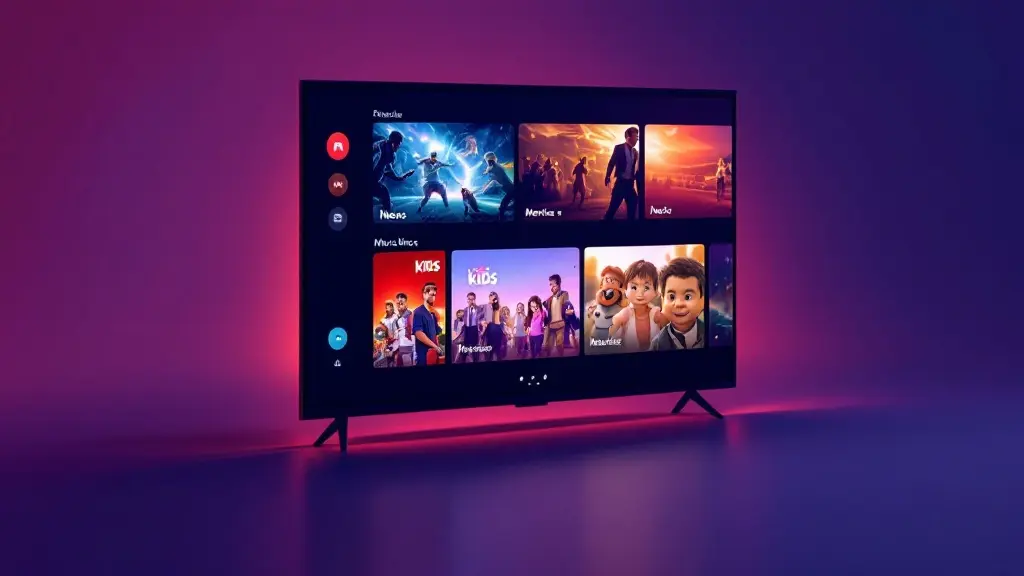
“7,000+” isn’t one giant wall of random streams. In practice, VenneTV’s live list is a mix of German/EU staples, international lineups, and category blocks you’ll actually browse day to day.
Typical channel mix you’ll see:
How to think about the count: The total includes different languages, regions, and variants. That matters if you want specific country TV, but it also means you should rely on search + favorites instead of scrolling endlessly.
Best way to use it: set up a favorites list (your daily 30–60 channels) and keep the rest as backup. That’s how most users get speed and stability in real viewing.
Typical channel mix you’ll see:
- DE/AT/CH focus: the common German-language stations plus regional variants where available.
- International TV: country packs (UK, USA, FR, ES, IT, NL, TR and more) so you can watch in your preferred language or follow home channels in Germany/EU.
- News: German and international news channels, often with multiple sources for the same region.
- Docs & lifestyle: documentaries, reality, travel, cooking, science, history.
- Kids: children’s channels and family-friendly blocks.
- Sports category blocks: a dedicated section that groups sports stations and sports-heavy networks.
- Adult: separate adult section (availability can vary by app/player and list structure).
How to think about the count: The total includes different languages, regions, and variants. That matters if you want specific country TV, but it also means you should rely on search + favorites instead of scrolling endlessly.
Best way to use it: set up a favorites list (your daily 30–60 channels) and keep the rest as backup. That’s how most users get speed and stability in real viewing.
2) German + international packages (UK/USA/FR/ES/IT/NL/TR): how they’re organized
If you live in Germany/EU, the biggest value of a large IPTV catalog is language + region coverage. VenneTV typically organizes international TV into country-focused groups, so you can jump directly to what you need instead of guessing channel names.
Common country packs you’ll run into:
Why organization matters: many apps display IPTV lists as a long category tree. A clean pack structure makes it faster to browse, and it helps the TV guide (EPG) map correctly to the right region/timezone.
For mixed households: this is where IPTV can be practical. One household can keep German favorites, while another person uses a UK or TR list daily—without constantly switching services or devices.
Tip: if you know the exact channel name, use search. If you don’t, start from the country pack and browse by category.
Common country packs you’ll run into:
- UK: entertainment, news, sports-oriented stations, plus regional variants where available.
- USA: a broad mix of news and entertainment networks, often useful if you follow US coverage.
- France (FR): national French channels and themed stations.
- Spain (ES): Spanish national channels and genre mixes.
- Italy (IT): Italian entertainment, news, general TV blocks.
- Netherlands (NL): Dutch channels and regional options where available.
- Turkey (TR): Turkish channels across news/entertainment and general programming.
Why organization matters: many apps display IPTV lists as a long category tree. A clean pack structure makes it faster to browse, and it helps the TV guide (EPG) map correctly to the right region/timezone.
For mixed households: this is where IPTV can be practical. One household can keep German favorites, while another person uses a UK or TR list daily—without constantly switching services or devices.
Tip: if you know the exact channel name, use search. If you don’t, start from the country pack and browse by category.
3) Sports channels: what to expect (Sky Sport, DAZN, Magenta Sport, Eurosport)
A lot of people land on IPTV because they want a strong sports section. VenneTV typically includes sports-focused channel groupings and well-known sports-branded stations such as Sky Sport, DAZN, Magenta Sport, and Eurosport within the catalog list structure.
What “sports coverage” means here:
4K UHD for sports? VenneTV supports 4K UHD where available. In real usage, 4K is typically limited to specific events/channels and depends on the original feed and your device/app performance.
How to get the best experience:
Important: channel availability and naming can change as lists are updated. That’s normal for large IPTV catalogs, and it’s why favorites + search matter.
What “sports coverage” means here:
- Sports channel blocks: channels grouped by brand or by sport category, depending on the playlist/app.
- Multiple sources/variants: you may see more than one entry for a sports channel (different regions/qualities). This can help when one source is busy.
- EPG availability varies: sports channels often have EPG, but some entries may show limited guide data depending on the feed mapping.
4K UHD for sports? VenneTV supports 4K UHD where available. In real usage, 4K is typically limited to specific events/channels and depends on the original feed and your device/app performance.
How to get the best experience:
- Use wired internet or strong 5 GHz Wi‑Fi.
- Keep two or three alternate channel entries in favorites for the same sports network.
- If your app supports it, enable buffer or “auto-reconnect”.
Important: channel availability and naming can change as lists are updated. That’s normal for large IPTV catalogs, and it’s why favorites + search matter.
4) VOD library: 18,000 movies & series and how it’s browsed
VenneTV’s on-demand section is designed for “press play” viewing when you don’t want live TV. The catalog is listed as 18,000 movies and series (VOD), typically presented in a separate VOD area inside your IPTV app or the web player.
What you’ll usually find in VOD:
How browsing works: VOD is commonly sorted by categories (genre, “latest”, “popular”) and by an internal search field. The smoother your experience, the more your app matters—some apps are fast at loading poster grids, others are better with simple lists.
4K UHD in VOD: you’ll see 4K UHD where available. Not every title is 4K, and your actual playback quality depends on the original file/source, your bandwidth, and the device decoder.
Practical advice:
This VOD library is best used as a “second layer” next to live TV: quick movies, easy series playback, and something to watch when live programming is not interesting.
What you’ll usually find in VOD:
- Movies: a wide spread of genres (action, comedy, drama, thriller, family, documentaries).
- Series: multi-season shows organized by season/episode where supported by the player.
- Multiple languages: some titles have different audio/versions depending on source availability.
How browsing works: VOD is commonly sorted by categories (genre, “latest”, “popular”) and by an internal search field. The smoother your experience, the more your app matters—some apps are fast at loading poster grids, others are better with simple lists.
4K UHD in VOD: you’ll see 4K UHD where available. Not every title is 4K, and your actual playback quality depends on the original file/source, your bandwidth, and the device decoder.
Practical advice:
- If a VOD section feels slow, switch from poster mode to list mode (if your app offers it).
- Use search for exact titles. For discovery, use categories instead of scrolling endlessly.
- Keep storage in mind if you use a device that caches artwork heavily.
This VOD library is best used as a “second layer” next to live TV: quick movies, easy series playback, and something to watch when live programming is not interesting.
5) EPG / TV guide: how it works and what impacts accuracy
The EPG (Electronic Program Guide) is what turns a huge IPTV list into something usable. With VenneTV you typically get EPG support across many channels, displayed in your app as a classic timeline TV guide.
What the EPG can do:
Why EPG sometimes looks “off”:
How to improve your guide in 2 minutes:
Bottom line: EPG quality is a combination of list structure, mapping, and your app’s EPG engine. With the right app settings, a large channel list becomes easy to navigate like a normal TV experience.
What the EPG can do:
- Now/Next: see what’s on right now and what comes next.
- Timeline view: scroll through hours/days (depends on the app).
- Program info: titles, descriptions, and sometimes episode data.
Why EPG sometimes looks “off”:
- Timezone settings: if your device/app timezone is wrong, the guide shifts.
- Channel mapping: a channel entry must match the correct EPG ID; duplicates/variants can cause mismatches.
- App differences: some players cache EPG better and refresh automatically; others need manual refresh.
How to improve your guide in 2 minutes:
- Confirm your device timezone is set to automatic.
- Trigger an EPG update inside the app after adding the playlist.
- If you see duplicates, keep the channel entry that has working EPG and favorite it.
Bottom line: EPG quality is a combination of list structure, mapping, and your app’s EPG engine. With the right app settings, a large channel list becomes easy to navigate like a normal TV experience.
6) Search, favorites, updates: staying fast even with a huge list
With 7,000+ channels, you don’t “browse everything”. You build a workflow: search → favorite → watch. VenneTV supports this because you can use the VenneTV web player or choose a free app that fits your device and browsing style.
Channel search in apps:
Favorites are the real power feature:
Regular channel updates: large IPTV catalogs get updated over time (naming, ordering, sources). That’s normal. When updates happen, the best apps keep your favorites stable, but sometimes you may need to re-add a channel if an entry changed.
What helps most: pick one main player, keep your playlist clean, and rely on favorites. That way the “big catalog” stays a benefit, not a time sink.
And if you ever get stuck, German-language support is available, which is useful when you’re setting up devices in Germany/EU.
Channel search in apps:
- Instant search: type a few letters and jump directly to a channel.
- Category filtering: narrow down by country pack or genre first, then search inside it (app-dependent).
- Recent channels: most apps keep a “recently watched” list, which is faster than re-searching.
Favorites are the real power feature:
- Create a daily favorites list (news, kids, your main entertainment).
- Create a sports favorites list with 2–3 alternative entries per channel.
- Add a language pack favorites list if you watch UK/TR/FR frequently.
Regular channel updates: large IPTV catalogs get updated over time (naming, ordering, sources). That’s normal. When updates happen, the best apps keep your favorites stable, but sometimes you may need to re-add a channel if an entry changed.
What helps most: pick one main player, keep your playlist clean, and rely on favorites. That way the “big catalog” stays a benefit, not a time sink.
And if you ever get stuck, German-language support is available, which is useful when you’re setting up devices in Germany/EU.
Want to see the catalog on your own devices instead of guessing? Get the 48-hour free trial from VenneTV (email-only, no credit card) and test live TV, VOD, EPG, and search with your preferred app or the web player.
After that, you can continue with no contract lock-in and optional crypto payment if you want more privacy.
After that, you can continue with no contract lock-in and optional crypto payment if you want more privacy.