

48-hour VenneTV trial — email access without credit card
You want to test IPTV properly, not guess. With the 48-hour VenneTV trial, you get full access using only your email—no credit card and no billing setup.
Below is the exact walkthrough: how to enter your email, confirm the verification link, receive your credentials, and set it up in popular apps like TiviMate, IPTV Smarters Pro, Smart TV apps, and Fire TV. You’ll also see what happens after 48 hours, what data the provider typically needs, and how to keep your inbox clean.
Below is the exact walkthrough: how to enter your email, confirm the verification link, receive your credentials, and set it up in popular apps like TiviMate, IPTV Smarters Pro, Smart TV apps, and Fire TV. You’ll also see what happens after 48 hours, what data the provider typically needs, and how to keep your inbox clean.
How the 48-hour trial works (what you get, what you don’t)
The VenneTV trial is designed for one thing: letting you test the service with real usage. You get access for 48 hours, and it ends automatically. There’s no payment step during activation, so there’s nothing to “cancel” to stop billing later.
What’s included during the trial:
What’s not included (so expectations stay realistic):
If you’re evaluating VenneTV as a long-term option, the trial is the fastest way to check the things that matter: how fast channels start, if the EPG is usable on your device, whether your Wi‑Fi can handle higher bitrate streams, and how stable it feels during peak hours.
What’s included during the trial:
- Access to the full platform experience (channels, VOD library, categories, EPG where available)
- Compatibility with common IPTV players (your choice: web player or apps)
- Quality options including 4K UHD where available (depends on the channel/source and your bandwidth)
- Support access (including German-language support) if you need setup help
What’s not included (so expectations stay realistic):
- No “forever access” trial. It expires at the end of the 48-hour window.
- No guarantee every channel is perfect at every moment—IPTV quality depends on device, app, network, and the specific stream.
- No requirement to keep using the same app; you can switch players during the trial to compare performance.
If you’re evaluating VenneTV as a long-term option, the trial is the fastest way to check the things that matter: how fast channels start, if the EPG is usable on your device, whether your Wi‑Fi can handle higher bitrate streams, and how stable it feels during peak hours.
Step-by-step: email request → verification link → credentials
The trial activation is simple, but you’ll move faster if you know what to expect. Here’s the typical flow from start to finish.
1) Enter your email
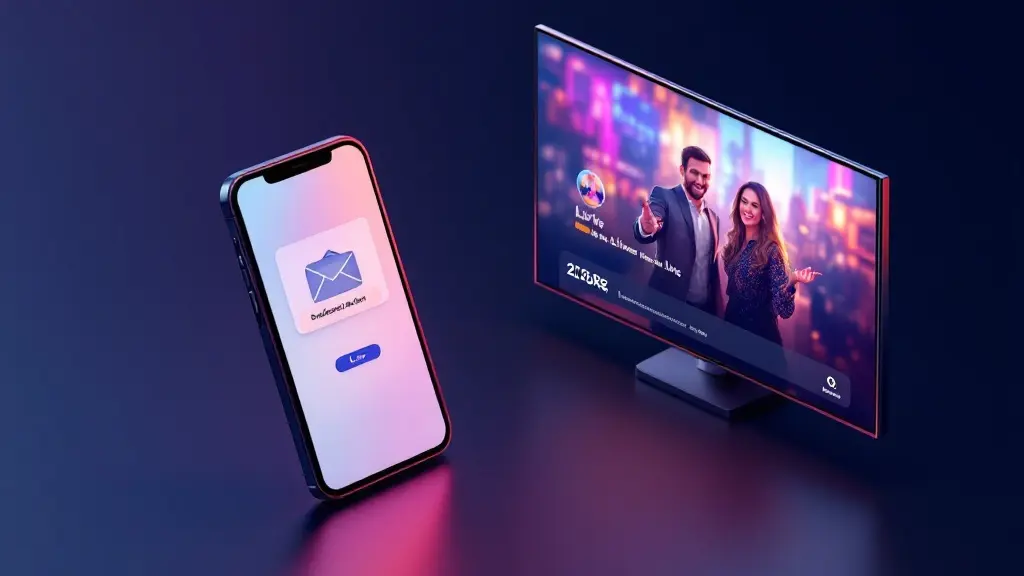
You submit an email address to request the 48-hour trial. That email becomes the destination for your verification link and your access details. You don’t need a payment method for this step.
2) Confirm the verification link
Check your inbox and open the verification email. Click the link to confirm you control that address. This helps prevent typos and ensures the credentials are delivered to the right place.
Tip if you don’t see it:
3) Receive your access credentials
After verification, you’ll receive the details needed to log in. Depending on the setup, that’s usually one of these formats:
4) Save the details safely
Copy the credentials into a notes app or password manager for the 48-hour test window. Don’t post screenshots. Don’t forward the email to multiple people if you want a clean, controlled trial experience.
Once you have the credentials, the next step is just choosing your player: VenneTV’s own web player, or your preferred IPTV app. If you care about speed and channel zapping, testing two players (one simple, one advanced like TiviMate) gives you a clearer picture.
1) Enter your email
You submit an email address to request the 48-hour trial. That email becomes the destination for your verification link and your access details. You don’t need a payment method for this step.
2) Confirm the verification link
Check your inbox and open the verification email. Click the link to confirm you control that address. This helps prevent typos and ensures the credentials are delivered to the right place.
Tip if you don’t see it:
- Check Spam/Junk and Promotions tabs
- Search your inbox for “VenneTV”
- Wait a few minutes—some mail providers delay new senders
3) Receive your access credentials
After verification, you’ll receive the details needed to log in. Depending on the setup, that’s usually one of these formats:
- M3U URL (playlist link) + sometimes an EPG link
- Xtream Codes details: server URL + username + password
4) Save the details safely
Copy the credentials into a notes app or password manager for the 48-hour test window. Don’t post screenshots. Don’t forward the email to multiple people if you want a clean, controlled trial experience.
Once you have the credentials, the next step is just choosing your player: VenneTV’s own web player, or your preferred IPTV app. If you care about speed and channel zapping, testing two players (one simple, one advanced like TiviMate) gives you a clearer picture.
Add VenneTV to your app: TiviMate, IPTV Smarters Pro, Smart TV, Fire TV
Your results depend heavily on the app and device you choose. Below are practical setup paths for the most common options in Germany/EU. Use the credentials you received (M3U or Xtream).
Option A: TiviMate (Android TV / Fire TV)
TiviMate is popular for its interface and channel management. Typical steps:
Option B: IPTV Smarters Pro (Android / iOS / Smart TV versions)
Smarters is straightforward and supports both formats:
Option C: Smart TV apps (Samsung/LG and others)
Smart TVs vary a lot. Some apps handle large playlists better than others. If your TV struggles, use a Fire TV stick or Android TV box for smoother performance. On TV apps, focus on:
Option D: Fire TV (best “plug-and-play” for many users)
Fire TV is often the easiest upgrade if your Smart TV is slow. Install your preferred IPTV player, then log in using Xtream or M3U. If buffering appears, switch Wi‑Fi band (5 GHz), move closer to the router, or test Ethernet with an adapter.
Option E: VenneTV web player
If you don’t want to install anything, the web player is a fast way to confirm the basics: stream start time, picture quality, and general stability.
During the trial, test at least: morning, evening peak time, and one weekend window. That’s how you learn whether it fits your real usage.
Option A: TiviMate (Android TV / Fire TV)
TiviMate is popular for its interface and channel management. Typical steps:
- Open TiviMate → Add Playlist
- Choose Xtream Codes if you got server + username + password (often easiest)
- Or choose M3U and paste the playlist link
- If you have an EPG URL, add it in EPG settings
Option B: IPTV Smarters Pro (Android / iOS / Smart TV versions)
Smarters is straightforward and supports both formats:
- Add User → Select Login with Xtream Codes API or Load Your Playlist (M3U)
- Enter the details exactly as provided (no extra spaces)
- Let it sync categories and EPG
Option C: Smart TV apps (Samsung/LG and others)
Smart TVs vary a lot. Some apps handle large playlists better than others. If your TV struggles, use a Fire TV stick or Android TV box for smoother performance. On TV apps, focus on:
- Xtream login for faster setup
- Wired Ethernet if possible
- Reducing heavy UI animations and background apps
Option D: Fire TV (best “plug-and-play” for many users)
Fire TV is often the easiest upgrade if your Smart TV is slow. Install your preferred IPTV player, then log in using Xtream or M3U. If buffering appears, switch Wi‑Fi band (5 GHz), move closer to the router, or test Ethernet with an adapter.
Option E: VenneTV web player
If you don’t want to install anything, the web player is a fast way to confirm the basics: stream start time, picture quality, and general stability.
During the trial, test at least: morning, evening peak time, and one weekend window. That’s how you learn whether it fits your real usage.
What the provider sees (and what it typically doesn’t)
If you’re cautious—and in Germany/EU many people are—you’ll want clarity about what’s involved when you use an email-only trial. Here’s the practical view, without overpromising anything.
What VenneTV needs to deliver the trial:
What you are not required to provide for the trial:
What can be visible during streaming (in general terms):
What you should not assume:
Practical privacy habits during a trial:
The key point: email-only access reduces the amount of billing data involved. It doesn’t magically change how internet connections work. If your goal is simply “test the service with minimal friction,” email access is the cleanest way to do that.
What VenneTV needs to deliver the trial:
- Your email address (so you can verify and receive credentials)
- Basic service events (for example: successful login, playlist sync, or connection attempts) so the system can function and support can help you
What you are not required to provide for the trial:
- No credit card number
- No billing address
- No contract signing
What can be visible during streaming (in general terms):
- Your IP address may be visible to any streaming service when you connect
- Device/app behavior can affect logs (for example: repeated retries during buffering)
What you should not assume:
- Don’t assume “total anonymity” just because there’s no credit card.
- Don’t assume your app settings are private by default—some apps store playlist URLs and can sync across devices if you’re logged into a platform account.
Practical privacy habits during a trial:
- Use a dedicated email alias if you want separation from your main inbox
- Don’t share your credentials publicly
- Log out or remove the playlist after testing on shared devices
The key point: email-only access reduces the amount of billing data involved. It doesn’t magically change how internet connections work. If your goal is simply “test the service with minimal friction,” email access is the cleanest way to do that.
What happens after 48 hours: expiry, access removal, and next steps
After the 48-hour window ends, the trial credentials stop working. That’s it. There’s no hidden billing because you didn’t attach a payment method when you started the trial.
How expiry looks in your app:
Do you need to cancel?
No cancellation is needed to avoid charges because you didn’t add card details for the trial. If you want to clean up your device, you can remove the playlist or delete the user profile inside your IPTV app.
What you can do next (based on your test results):
What to evaluate before you continue:
This is exactly why the 48-hour window is useful: you can decide using real viewing habits, not screenshots or promises.
How expiry looks in your app:
- Channels may fail to load
- The app may show login errors
- The playlist may stop updating
Do you need to cancel?
No cancellation is needed to avoid charges because you didn’t add card details for the trial. If you want to clean up your device, you can remove the playlist or delete the user profile inside your IPTV app.
What you can do next (based on your test results):
- If performance was good: continue with a paid option that fits your usage. VenneTV is set up with no subscription and no contract lock-in, so you can decide flexibly.
- If performance was mixed: try a different app (TiviMate vs Smarters), switch from Wi‑Fi to Ethernet, or test on a different device (Fire TV often solves Smart TV lag).
- If it wasn’t a match: simply stop. Expiry ends access automatically.
What to evaluate before you continue:
- Channel zapping speed and stability
- EPG accuracy for your most-watched categories
- VOD browsing speed (library size matters: VenneTV lists 7,000+ live channels and 18,000+ movies and series, so app performance matters)
- Peak-hour performance in your location
This is exactly why the 48-hour window is useful: you can decide using real viewing habits, not screenshots or promises.
Spam risk, inbox control, and why email trials beat credit-card trials
You’re right to think about spam and inbox clutter. Any time you enter an email online, you should assume it could become noisy later—unless you manage it proactively.
How to reduce spam risk:
Can you delete the email after you receive credentials?
Yes. You can delete the message from your inbox once you’ve copied the credentials into a secure place for the trial. If you want to be extra tidy, remove the playlist from the app after the 48 hours end.
Email-only trial vs credit-card trial (real-world differences):
What email-only does not guarantee:
If your priority is “test first, decide later,” an email-only 48-hour trial is the most practical model. You stay in control, you avoid payment details during testing, and you can make a decision based on what you actually see on your TV.
How to reduce spam risk:
- Use an email alias (many providers let you create “plus” addresses like name+tv@…)
- Create a dedicated folder/filter for trial emails
- Don’t reuse the same email for multiple IPTV signups if you want a clean trail
Can you delete the email after you receive credentials?
Yes. You can delete the message from your inbox once you’ve copied the credentials into a secure place for the trial. If you want to be extra tidy, remove the playlist from the app after the 48 hours end.
Email-only trial vs credit-card trial (real-world differences):
- Fewer steps: no payment form, no “verify card,” no billing address
- Lower cancellation friction: there’s nothing to cancel to stop future billing from a card trial
- Cleaner testing mindset: you evaluate performance, not your willingness to trust a payment page on day one
What email-only does not guarantee:
- It doesn’t guarantee you’ll never receive follow-up emails. Your best defense is using an alias and filters.
- It doesn’t guarantee a specific device/app will run perfectly. Your setup matters.
If your priority is “test first, decide later,” an email-only 48-hour trial is the most practical model. You stay in control, you avoid payment details during testing, and you can make a decision based on what you actually see on your TV.